Community orchestra management software should collapse the spreadsheet stack into one roster. In Arts in One, you enter each musician once, with their section, instrument, chair, and substitute status, and that record then drives availability polling, seating charts, dues, ticket sales, concert programs, and every email the orchestra sends.
It is Sunday night and the orchestra manager has four browser tabs open. The roster spreadsheet, which is accurate as of the fall. A poll for the March concert that thirty-one of sixty players have answered. The ticketing account, whose password lives in a former treasurer's inbox. And a half-written email to the violins that cannot go out until she works out which of the two contact lists is current. None of these jobs is hard. What wears people down is that all four are the same information, kept four times, disagreeing.
One roster, and everything that reads from it
A general-purpose contact tool can hold sixty names. An orchestra needs to know that Marta plays second violin, sits third stand, is a section leader, and has been covering principal since November. In Arts in One, section, instrument, chair, principal status, and substitute status are fields on one record per player, so the roster answers musical questions and not just postal ones.
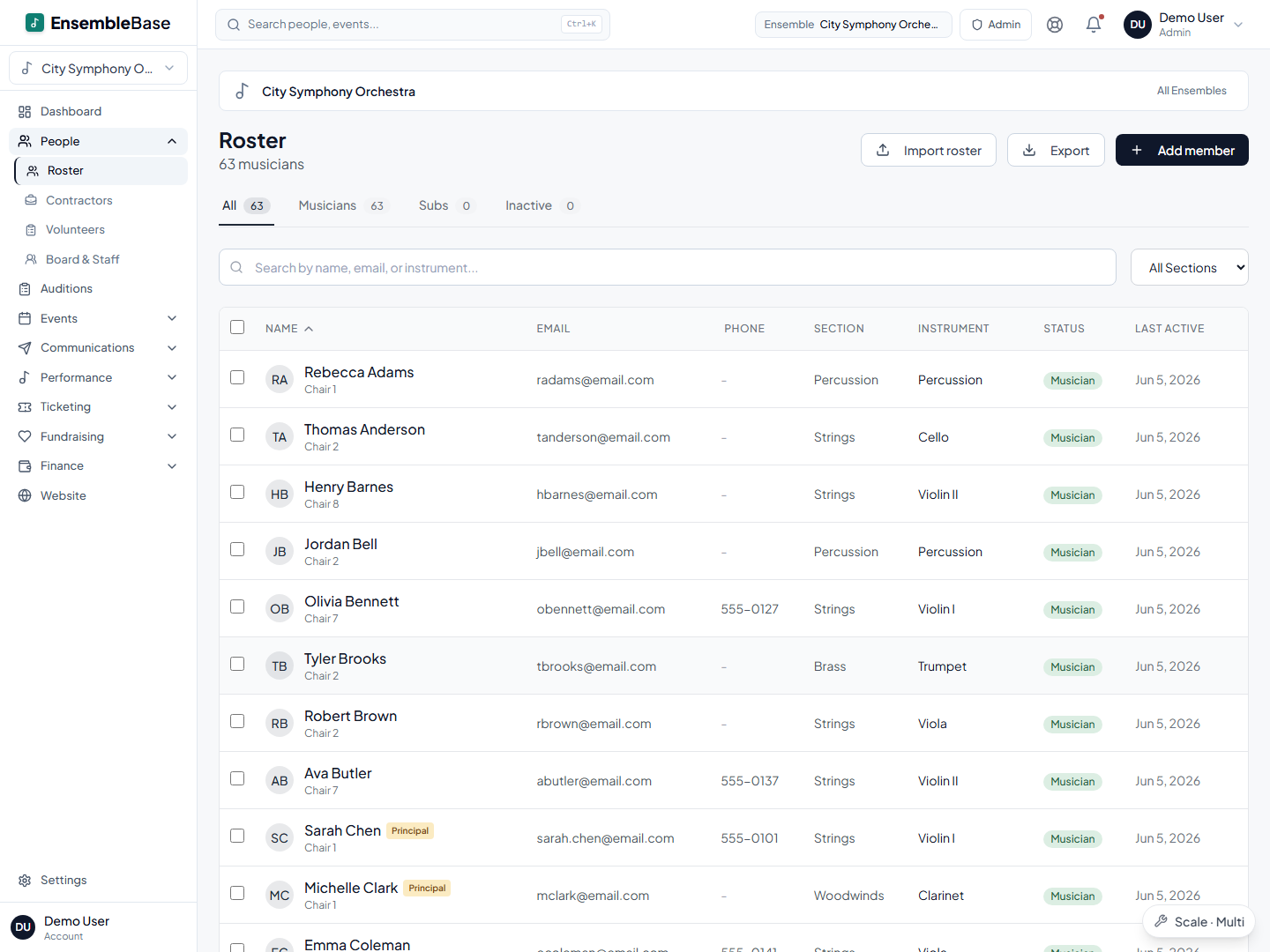
Adding a player once puts them in the attendance list, the email audiences, the dues ledger, the unseated list in the seating builder, and next month's availability poll. That single fact is most of the argument for this category of software. Every other feature below is downstream of it.
Orchestras need to know who is coming, not how many
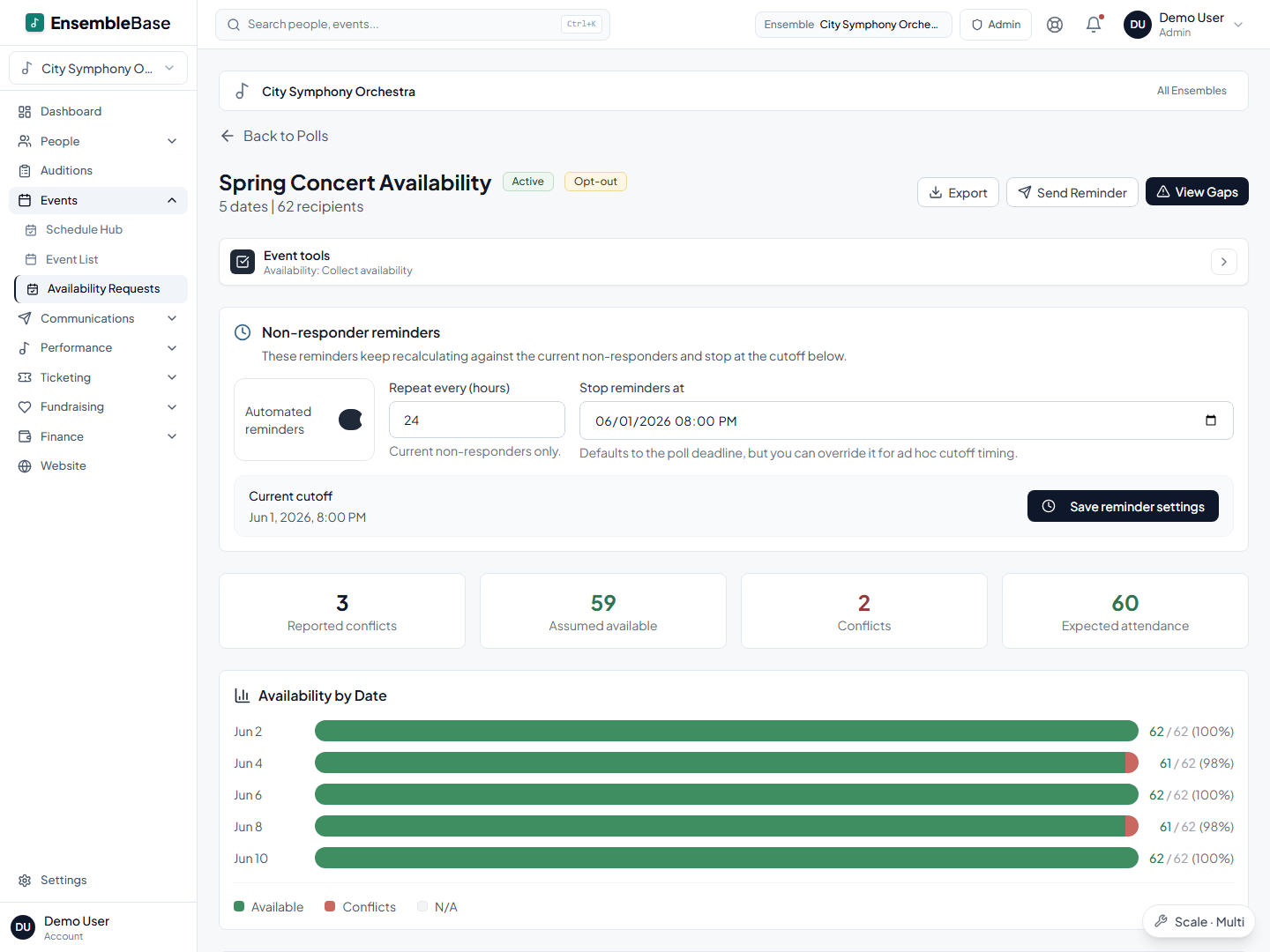
Most scheduling tools answer a headcount question. Forty-one people can make March 14. That number is nearly useless to an orchestra, because forty-one players missing both oboes is a different concert from forty-one players missing two second violins. Availability in Arts in One is per event and reads against the roster, so the answer arrives in sections: who is in, who is out, who has a conflict, and which desks are thin.
The harder problem is the twenty people who never answer anything. Polls are easy to send and easy to ignore. So the workflow leads with the chase: one click emails exactly the players who have not responded, and automated reminders repeat on a schedule you set, recalculated each time against whoever still owes an answer, stopping at the deadline. Musicians reply straight from a link in the email, with no account and no password, which is the only reason a poll ever reaches full response in a volunteer orchestra.
Seating charts that start from the players who are coming
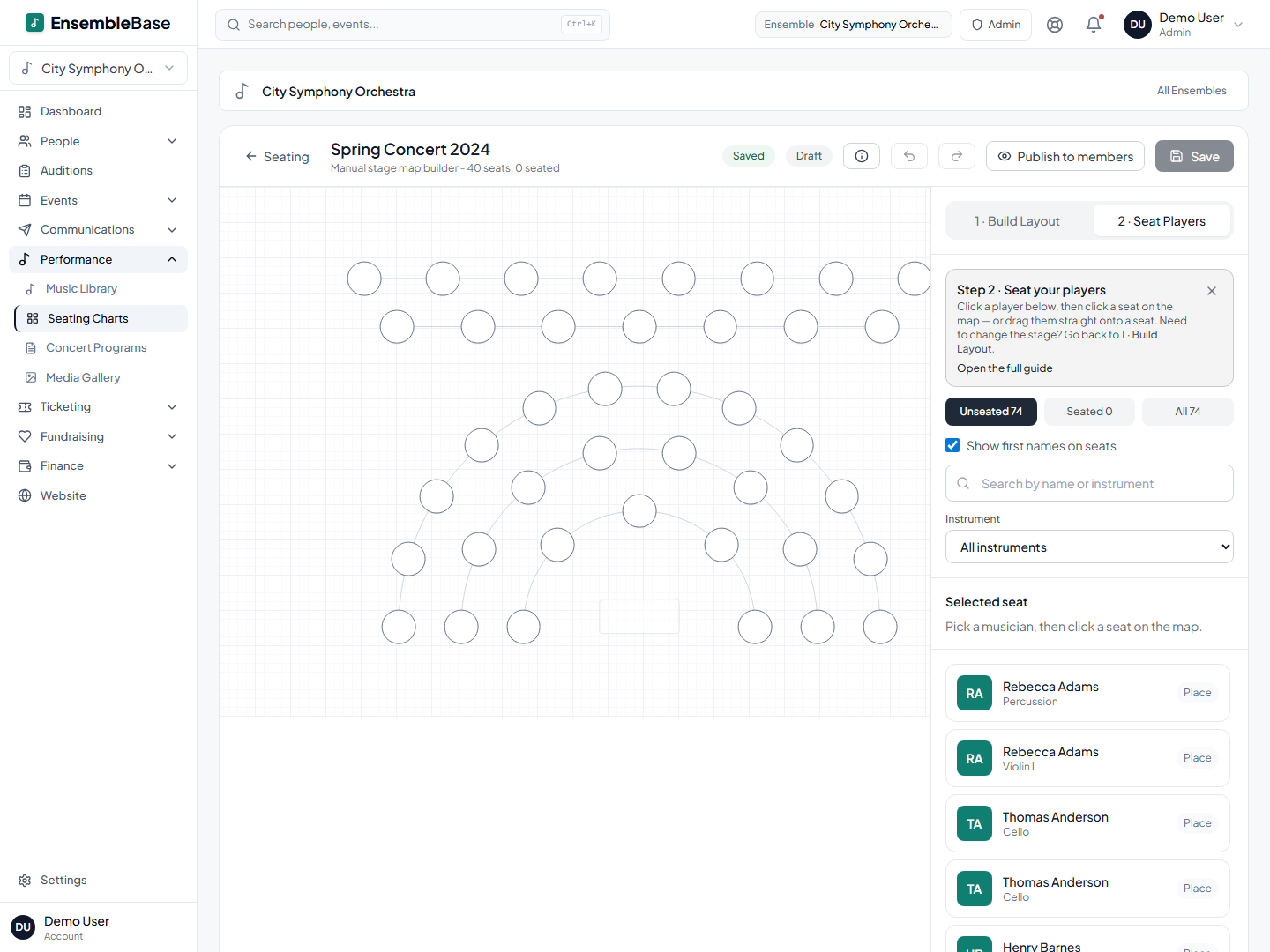
Drawing a chart takes an evening. Maintaining one takes the season, because every illness, swap, and new member invalidates the drawing. The builder here starts from an adjustable template of rows that you reshape into your fan, with the roster in a panel beside the stage: filter to whoever is unseated, drag a player onto a chair, and get a swap prompt if the seat is taken. Link the chart to a concert and the availability answers appear on the chart itself, chair by chair, before rehearsal night. Publish, and each musician sees their own seat in their portal.
Two limits worth knowing before you plan around it. There is no print or PDF export of a seating chart yet, so a stage crew that works from paper taped to the loading door still needs a screenshot. And only active roster members can be placed in a seat, so the ringer you hired on Thursday goes onto the roster first, then onto the chart. If you want the full method rather than the software, we wrote a guide to building an orchestra seating chart.
The box office sits next to the calendar
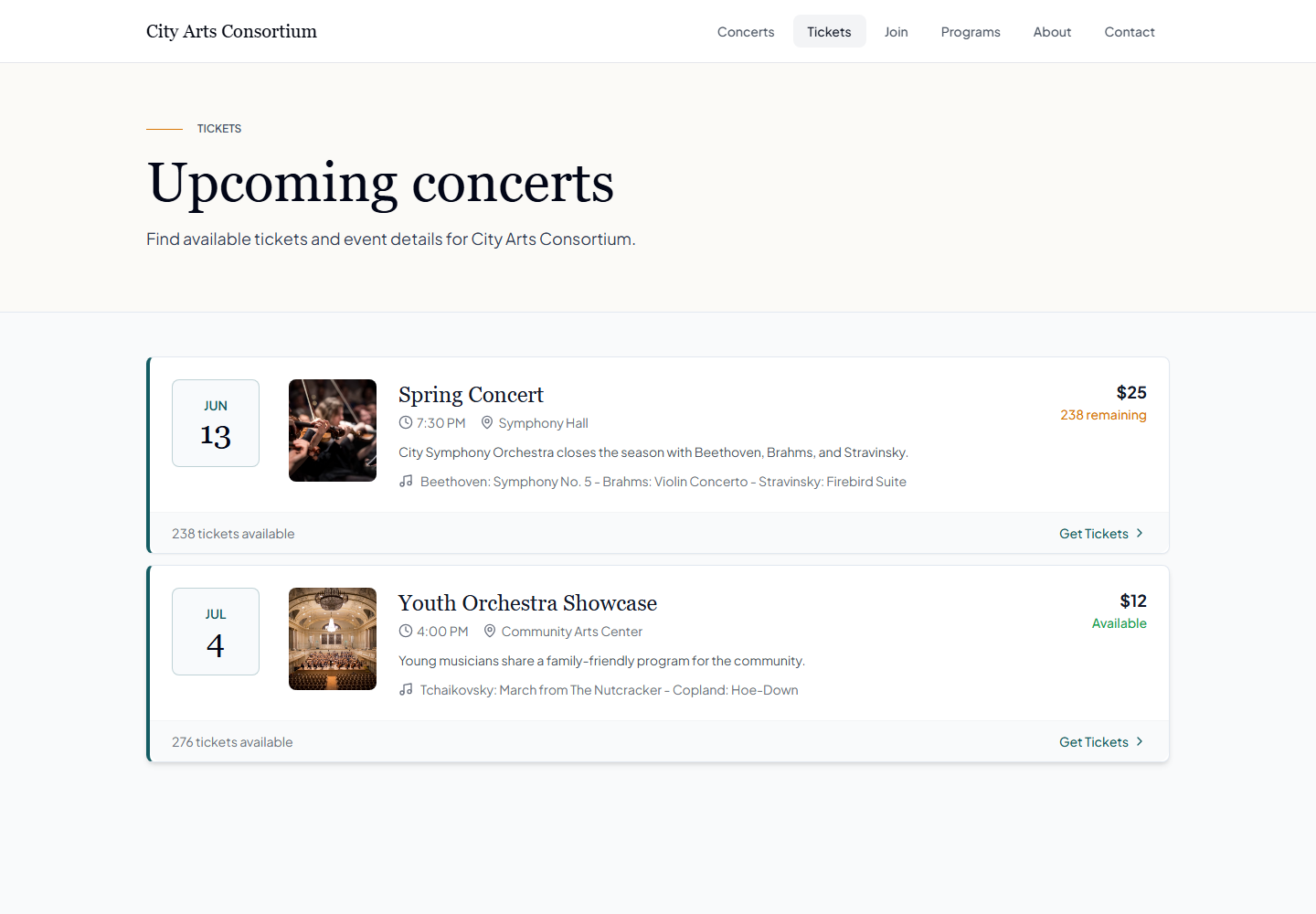
When ticketing lives in a separate account, someone re-types the concert name, date, venue, and description that already exist in your calendar, then reconciles two buyer lists by hand in January. On the Pro and Scale plans, each concert here can have a public event page built from the event you already created, with online sales, walk-up sales by card, cash, check, or comp, and door check-in by code or attendee lookup that catches a ticket someone already used.
Ticket payments run through your organization’s connected Stripe account, with payouts subject to its account terms and schedule. Review current plan and ticketing terms before budgeting; estimated processing coverage does not guarantee exact net proceeds. Our ticketing fee comparison explains how to compare charges and payout conditions.
Programs reuse what you already typed
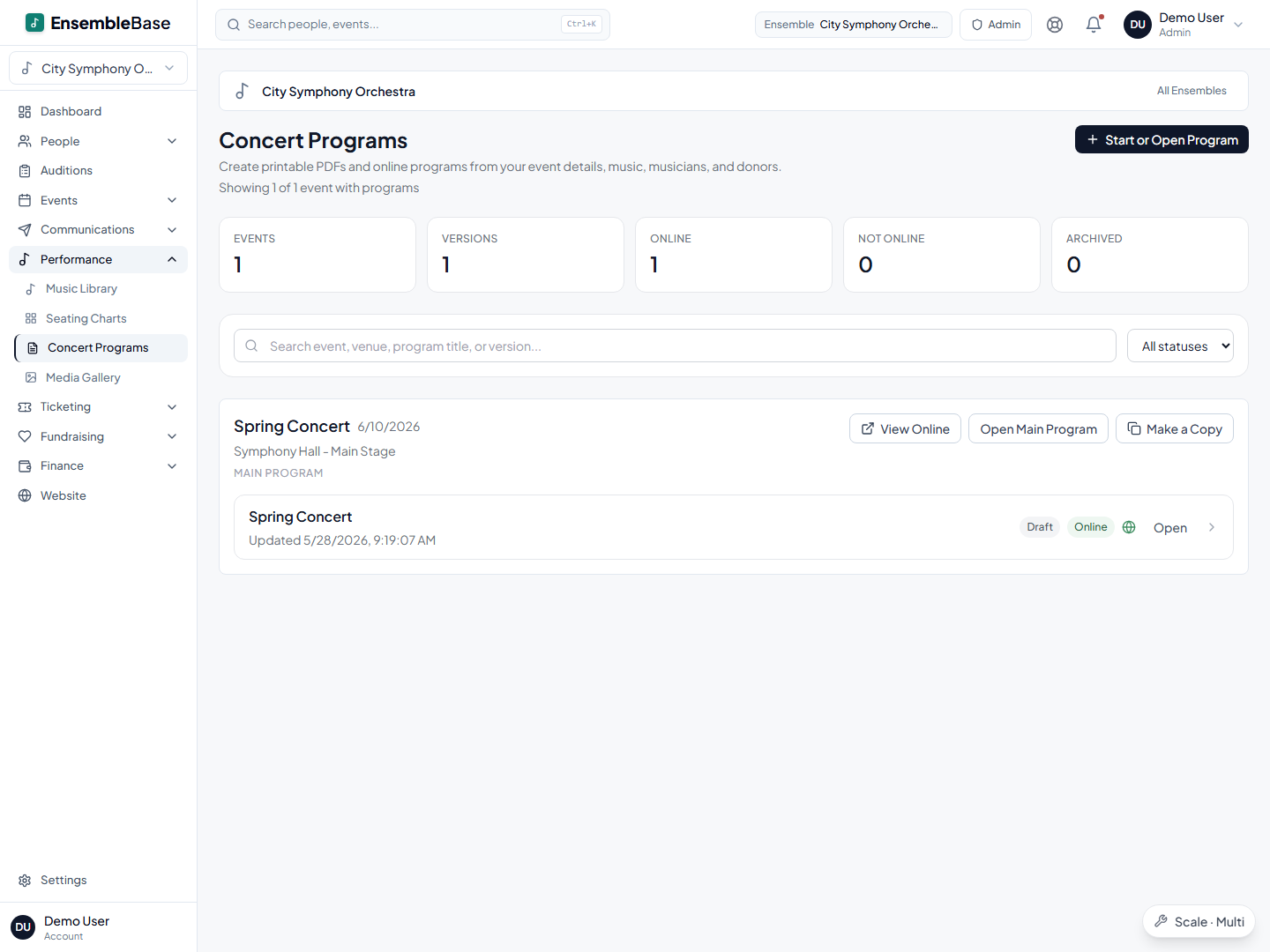
The concert program is the last job of every cycle and the one most often done at midnight. It needs the personnel list by section and chair, the repertoire, the donor acknowledgements, and the concert details, all of which already exist in four different places. Programs here assemble from that data with a draft and publish workflow, and printing is supported, which makes this the one place in the product where paper is a first-class output.
One roster powers everything
In Arts in One, your member list is entered once and reused everywhere. Every tool below works from the same roster — no re-typing names, no out-of-sync copies.
Getting your orchestra in
Import, don't retype. The roster you already keep comes in as it is: upload a CSV or Excel file, or paste from the clipboard, then match your columns to name, email, section, instrument, chair, and status with a mapper that guesses most of them. Duplicates are flagged before anything lands, both inside your file and against records already in the workspace. Review the import preview and resolve any unsupported fields before confirming.
A realistic first fortnight. Import the roster. Send one email through the system so musicians learn the new sender address. Post the term's dates with an availability poll. Leave dues and ticketing until week three. Nothing about your old spreadsheet stops working while you move, and moving one workflow at a time is how volunteer organizations survive a software change.
The players who will never log in. Some musicians prefer not to use a portal. Email and reminders go to the address on the roster record, the treasurer records their check against their balance, and they answer availability from the link in the email without an account. The one real gap: nobody can answer a poll on a musician's behalf, so a player who ignores email entirely still needs a phone call from a section leader.
When a spreadsheet is still enough
A spreadsheet is genuinely fine for a small chamber group that performs twice a year, collects no dues, sells no tickets, and makes decisions between two people who see each other weekly. Software adds a login and a migration to a problem that group does not have.
The line gets crossed somewhere around the point where a second person needs to see the data, a season has more than two concerts, or money moves in either direction. At that point the spreadsheet becomes the work instead of a record of it, and the volunteer maintaining it becomes a dependency the orchestra cannot replace.
Frequently asked questions
Do our musicians need accounts or an app?
No. Roster records hold each musician's email and phone independently of any login, so communications, dues notices, and reminders reach everyone. Availability polls are answered from a link in the email with no account at all. The member portal, where a player can see their schedule, music, seat, and dues balance, is an optional invitation an administrator sends, and it is a web page rather than an app to install.
How does this handle subs and per-service players?
A substitute is one roster record with substitute status rather than a name added to and removed from five files, so they appear in the right email audiences and their payment history accumulates in one place. One practical constraint: only active roster members can be assigned a seat on a chart, so a ringer you hire the week of the concert needs to be on the roster before they can be seated.
What happens when the volunteer who set it all up steps down?
The workspace belongs to the organization, not to whoever created it. There are multiple administrators and four access levels (owner, admin, manager, and member portal), so a handover is an invitation to the incoming officer and a revocation for the outgoing one, and revoking access keeps that person's roster records intact. Changing someone's role means re-inviting them at the new level rather than editing a dropdown. CSV exports are available for records such as rosters and ticket buyers; check the coverage of each export against your requirements.
Can we sell tickets and collect dues through it?
Dues are available on every plan: set the season amount, collect online, and record cash, check, card, or bank-transfer payments against a member's balance, with automated reminders before the due date and after it. Ticketing comes with the Pro and Scale plans, and reserved seat maps specifically require Scale. Confirm the applicable payment terms before budgeting.
What does Arts in One cost?
There are three tiers. Core covers roster, availability, scheduling, and dues for a single ensemble. Most community orchestras want Pro, because that tier carries seating charts and ticketing. If your hall has assigned seats, reserved seat maps need Scale, the top tier, which is the step worth pricing out before you commit to a season of reserved seating. Current figures are on the plans page.
Keep reading
Getting started
Bring your existing records to Arts in One.
Read the guideSeating & staging
Seating chart software that starts with your roster, not a blank canvas
Read the guideTicketing & box office
Concert ticketing software connected to your season
Read the guideOperations
Planning a concert season: the master timeline and checklist
Read the guideA first step
Start with the roster and stop there for a week.
Import the spreadsheet you already maintain, send one email through the system, and post the term's dates with an availability poll. That is the whole first week, and it is enough to tell you whether the rest is worth moving. If your records are scattered across six files, the team will migrate them for you.
Request a demo