Choir management software should do one thing above all: give the volunteer who runs the chorus their evenings back. Arts in One does that by keeping one roster (organized by voice part) and using it for seating charts, attendance, availability, dues, ticket sales, and every email you send.
Administration can place a substantial load on a small volunteer team: the president who chases dues, the manager who rebuilds the riser chart, the volunteer who copies email addresses from the spreadsheet into the newsletter tool and hopes nobody joined since last month. Keeping those tasks in separate tools adds repeated entry and reconciliation. Here is how a shared roster can help.
The scattered system every chorus recognizes
Ask a choir administrator where the membership data lives and the answer is usually "several places, and they disagree." The symptoms are familiar:
The roster is a spreadsheet only one person can safely edit.
Rehearsal availability is a Doodle poll that half the choir answers.
The email list in Mailchimp is three joiners and two departures out of date.
Dues status lives in a second spreadsheet, or in the treasurer’s head.
The riser chart is a drawing that breaks every time someone joins the altos.
Ticket sales happen on a generic events platform that lists your winter concert next to a monster truck rally.
None of these tools talk to each other, so a single change — a new second soprano, say — has to be entered four or five times. Miss one, and she never gets the concert-week email or a riser spot.
One roster, organized the way choirs actually work
In Arts in One, voice parts are sections. Sopranos, altos, tenors, and basses (or SSAATTBB if you split) are first-class groupings on the roster, with section assignments, substitute status, and contact details in one record per singer. Add members once and they appear in the attendance list, the email audiences, the seating chart builder, and the dues ledger. Attendance is a checklist against that same roster: take it at rehearsal, and you see who's slipping long before it becomes a concert-eligibility conversation.
Riser charts come from the same place. Shape the stage template into rows, then work through the unplaced list: the new alto goes next to a strong reader, the tenor who gets vertigo stays off the top riser. Because the builder reads the roster, nobody gets forgotten and nobody imaginary gets a spot. Publish when it's ready and singers find their own position in the portal next to their schedule, music, and dues status.
Know who is coming before the downbeat
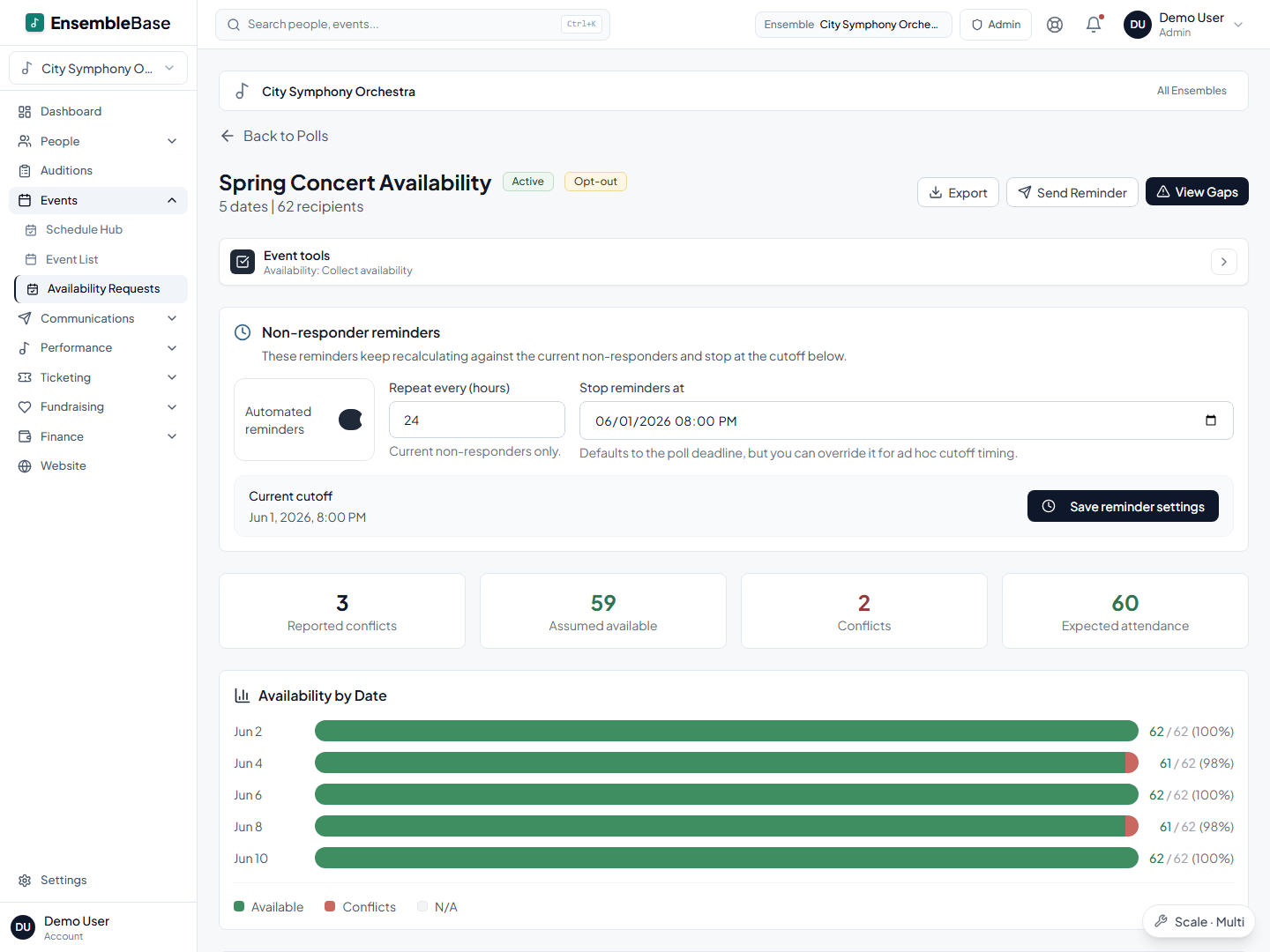
Polls are easy; the forty people who never answer are the problem. So the workflow here leads with the chase: one click emails exactly the members who haven't responded, and automated reminders repeat on a schedule you set, recalculated each time against who still owes an answer. Post the term's dates once and you know on Monday that only two tenors are coming Tuesday, early enough to do something about it. When a date changes, the update goes out through the same system to the current roster instead of last season's list.
Email a voice part without rebuilding a list
Because email is tied to the roster, "everyone," "sopranos and altos," or "members who haven't responded to the availability poll" are audiences you pick, not lists you maintain. Rehearsal reminders, concert-week logistics, and dues notices all go through the same place, and the send list is always the current membership. When someone joins in October, they get the November emails automatically, because there is only one roster.
Dues work the same way. Set the season's dues, track who has paid, collect payment online, and follow up with exactly the people who still owe, without the treasurer cross-referencing a bank statement against a spreadsheet.
Concerts: ticketing and a public page on the same roster
Ticketing connects public event pages, online sales, and door check-in with your event records. Check the current plans for feature availability and confirm applicable ticketing and processing charges before budgeting the concert.
One roster powers everything
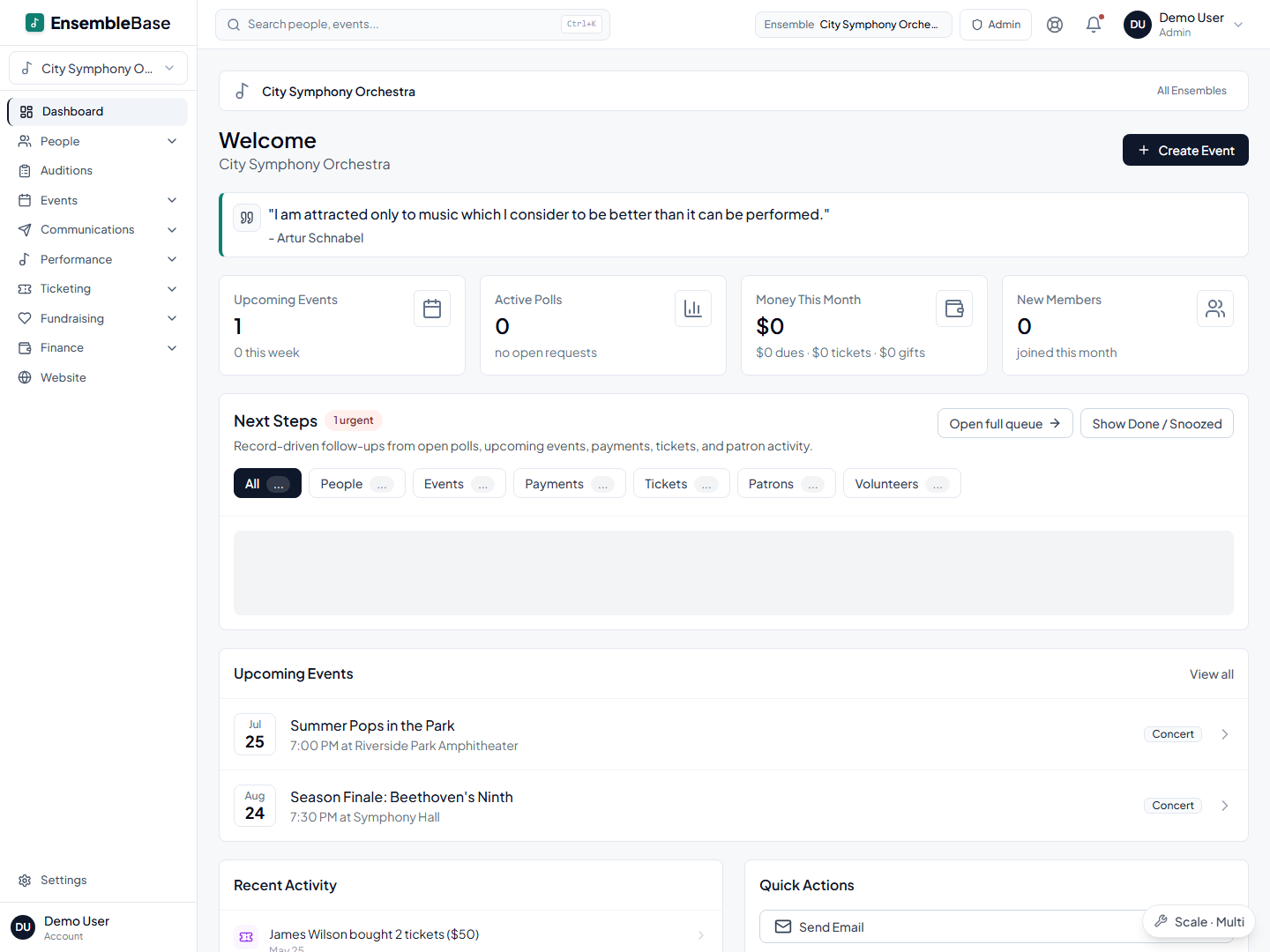
In Arts in One, your member list is entered once and reused everywhere. Every tool below works from the same roster — no re-typing names, no out-of-sync copies.
Three things that quietly stop happening
The singer who was never told. A new alto joins at Tuesday rehearsal and gets added once, so she is already in the attendance list, the email audience, the dues ledger, and the unplaced list in the riser builder. The failure mode this removes is the one nobody notices for a month: she was added to the roster and to nothing else, so she missed concert week entirely.
The list nobody wants to build. Six singers never answered the spring availability poll. Reminding exactly those six used to mean cross-referencing a poll against a roster in two windows, which is why it usually did not happen.
The password hunt. When the board asks how ticket sales are going, the answer is on the dashboard, rather than behind a login belonging to whoever set up the ticketing account three seasons ago.
Getting your chorus in
Import, don't retype. The roster you already have comes in as-is: upload the spreadsheet (CSV or Excel), match the columns with a guided mapper (name, email, voice part, status), and duplicates are flagged before anything lands. The roster you've kept for fifteen years arrives intact.
A realistic first week. Import the roster, send one email through the system so members recognize the new sender, and post the term's dates with an availability poll. Turn on dues in week three. You don't have to move everything at once, and nothing about the old spreadsheet stops working while you switch.
The members who will never log in. Singers who prefer email can still participate: email and reminders reach the address on their roster record, the treasurer records their check against their balance, and they answer the availability email straight from the link in it, with no account and no password. Viewing portal-only material, such as music and seat assignments, still requires portal access.
Frequently asked questions
Do our singers need to install an app?
No, and for a volunteer chorus that matters: asking sixty singers of all ages to install something is where adoption dies. The member portal is a web page — schedule, music, riser spot, dues status — that opens in whatever browser each singer already uses.
Does Arts in One handle voice parts like SATB, or is it built for instruments?
Voice parts work as sections throughout the platform. You can organize the roster as SATB or split further into SSAATTBB, email a single voice part, and build seating charts by placing singers from those sections.
Can we sell concert tickets through it?
Ticketing supports public event pages, online sales, and door check-in. Review current plans and applicable payment terms before budgeting.
Is Arts in One only for orchestras?
No — choirs are a first-class case. Voice parts are the section model, riser rows are a supported stage shape, and everything downstream (email audiences, attendance, seating) works in SATB terms. Orchestras, concert bands, and chamber groups run on the same platform.
What does Arts in One cost?
Core is the entry tier for a single ensemble; a chorus that wants riser charts and ticketing needs Pro, and reserved seat maps need Scale above that. Current figures are on the plans page. Confirm applicable payment terms before budgeting.
Keep reading
Getting started
Bring your existing records to Arts in One.
Read the guideSeating & staging
Seating chart software that starts with your roster, not a blank canvas
Read the guideTicketing & box office
Concert ticketing software connected to your season
Read the guideMoney & fundraising
How to collect member dues without the awkwardness
Read the guideTicketing & box office
How to sell tickets for a community concert
Read the guideThe bottom line
Stop being the person who remembers everything.
One roster by voice part runs the seating charts, the availability polls, the dues ledger, the ticket sales, and every email your chorus sends. Import your spreadsheet and start with the roster this week.
Request a demo